
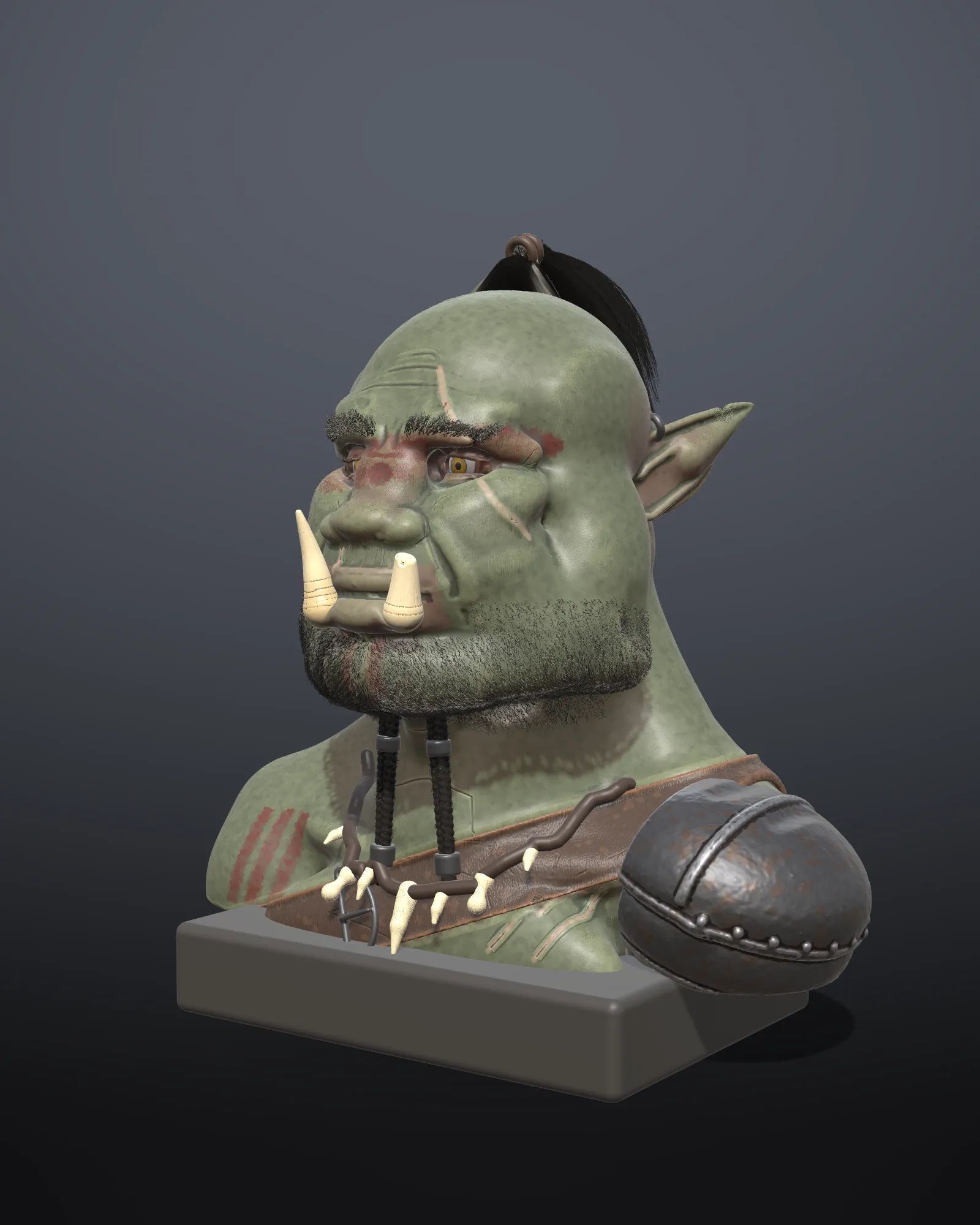
A character bust with hair
- Level
- Advanced
- Time
- 3 hours
- Version
- Shapeaway 4.0
- You need
- Tablet, 16 GB RAM
- You’ll make
- A finished, lit character bust with hair, gear and a plinth
- Files
- None, you start from a new sculpt
This is how the Vorgath orc bust in the gallery was made, in eight saves.
1 to 3. Blockout, primary and secondary forms
Section titled “1 to 3. Blockout, primary and secondary forms”- Block out head, neck and shoulders from a sphere at Ultra, mirrored. Save as
bust_v01_blockout. - Set the big planes of the face with Trim and Polish: brow, cheekbones, jaw. Save
v02. - Add secondary forms: brow furrows, nasolabial folds, scars, ear shapes, with Clay Strips, Crease and Dam Standard. Save
v03.
4. Gear
Section titled “4. Gear”- Paint a mask where a strap should lie across the chest, then Extract a 4 mm shell: that’s the strap, as its own object.
- Make the pauldron, tusks, necklace and plinth as separate objects.
5 and 6. Detail
Section titled “5 and 6. Detail”- Add detail to the head and body. Use Pores and Skin stamps with Deflate, and very light Noise.
- For gear (rivets, stitches) use small base edges so small forms don’t melt, and the Rivet and Stitches stamps with Drag strokes.
7. Hair
Section titled “7. Hair”- Grow a groom from the scalp for a topknot: plant guides, Comb them up and back, Clump them.
- Separate grooms for brows and stubble on the jaw. See Beards, brows and stubble.
8. Colour, finish and light
Section titled “8. Colour, finish and light”- Paint the skin with a base colour, then darker cavities and warmer ridges using Mask cavities and Mask peaks.
- Finishes: Skin for the body (with a little oil), Leather for straps, Metal for rings and buckles, Clay or Gloss for bone.
- Realistic view, then try the Studio, Three-point and Dramatic presets; add the backdrop and ground shadow.
- Export stills and a turntable. For a print, follow Print a figure in parts.
Next: A portrait from photos.
Was this page helpful?